Manual
Settings
Open Settings with ⌘, (a library must be open for library-specific tabs). Six tabs: Library, Video, Data Sources, Extensions, Tools, and Custom Metadata.
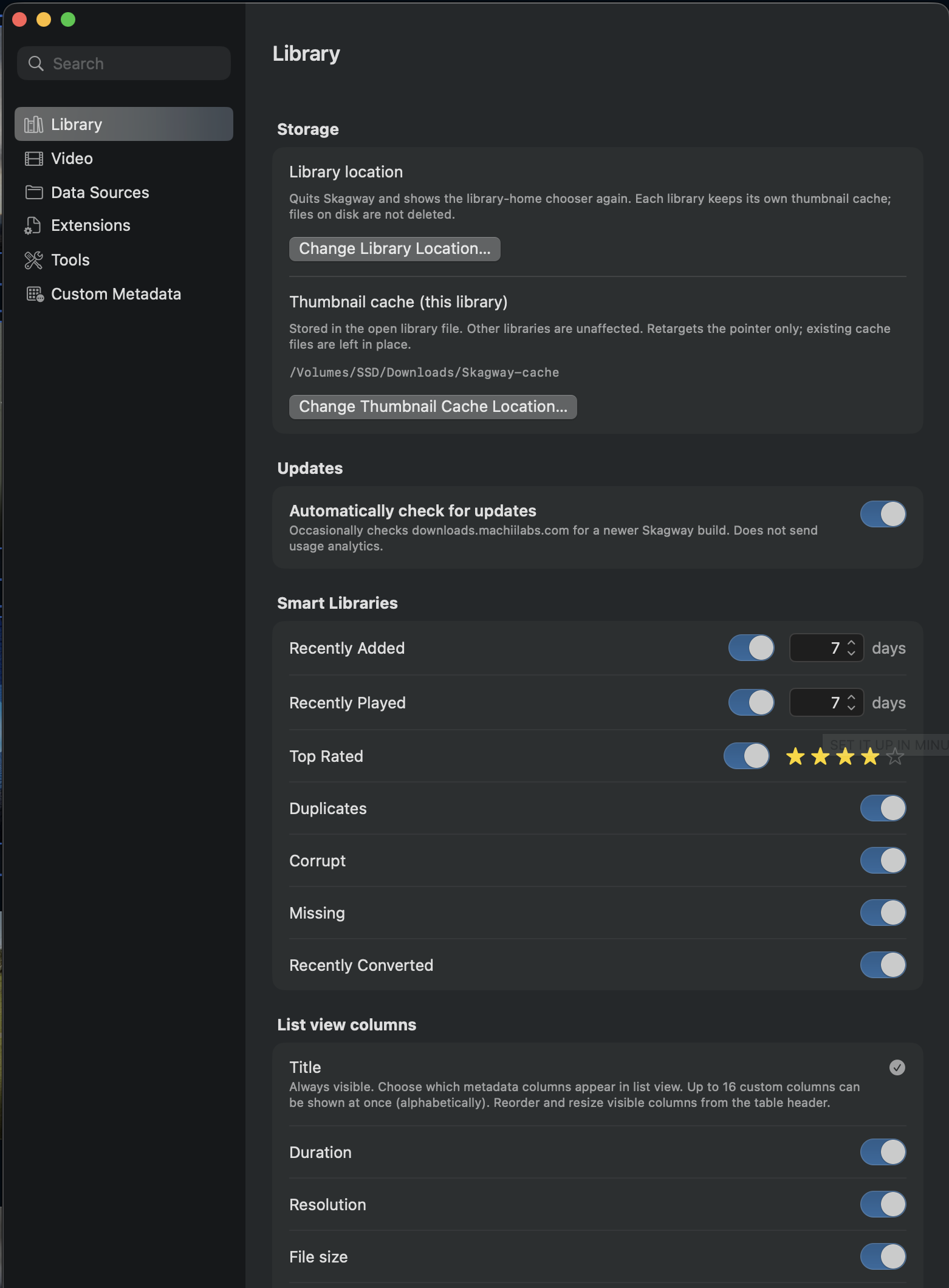
Library
- Exclude corrupt files from filters — they stay in the Corrupt smart library and in search.
- Confirm deletions — ask before moving files to the Trash.
- Change Library Location… / Change Thumbnail Cache Location… — move this library’s catalog or its per-library thumbnail cache.
- Automatically check for updates — off by default; checks do not send usage analytics.
- Smart Libraries — choose which smart libraries appear, and tune Recently Added / Recently Played day windows and the Top Rated star threshold.
- List view columns — pick the columns List view shows (Title is always on).
Video
- Default Filmstrip Size — rows and columns for filmstrip previews, with a Regenerate filmstrips button.
- Surprise Me! auto-plays selected video — jump and play, or just jump.
- Loop Play All — during Play All, finishing the last video starts the first again.
- Hover preview on Grid and List — the silent moving preview on hover.
- Tag blind default state / Filter drawer height — how the Inspector tags list and Quick Filter drawer remember size.
- Player opens at — Compact, Full screen, or Last used size.
- Fade resume banner after delay — whether and when the “Resumed at…” banner fades out.
Data Sources
- The folders Skagway scans — Add Folder…, Show in Finder, Exclude… a nested subfolder, or Remove.
- Adding a folder only registers it; run File → Scan for New Videos to index it.
- Remove does not drop already-indexed videos. Exclude… skips a nested subfolder on future scans — not the source folder itself.
Extensions
- Check or uncheck which file extensions count as video during scans.
- Add unusual extensions with the Add extension field.
- Reset to defaults restores the standard list.
Tools
- FFmpeg — required only for Fix for Built-in Player… (re-encode to MP4). Skagway auto-detects Homebrew and /usr/local installs.
- Installed somewhere unusual? Use Choose… to point at the ffmpeg binary directly.
Custom Metadata
- Define your own fields for this library: a name plus a type (String, Text, Number, Date, Date & Time, or Boolean).
- Edit values in the Inspector. Fields also appear in search, sort, List columns, filters, and export.