Manual
Export / Import
Export titles, ratings, tags, and other metadata as CSV or JSON Lines, import them into another library, or copy the catalog file for backup.
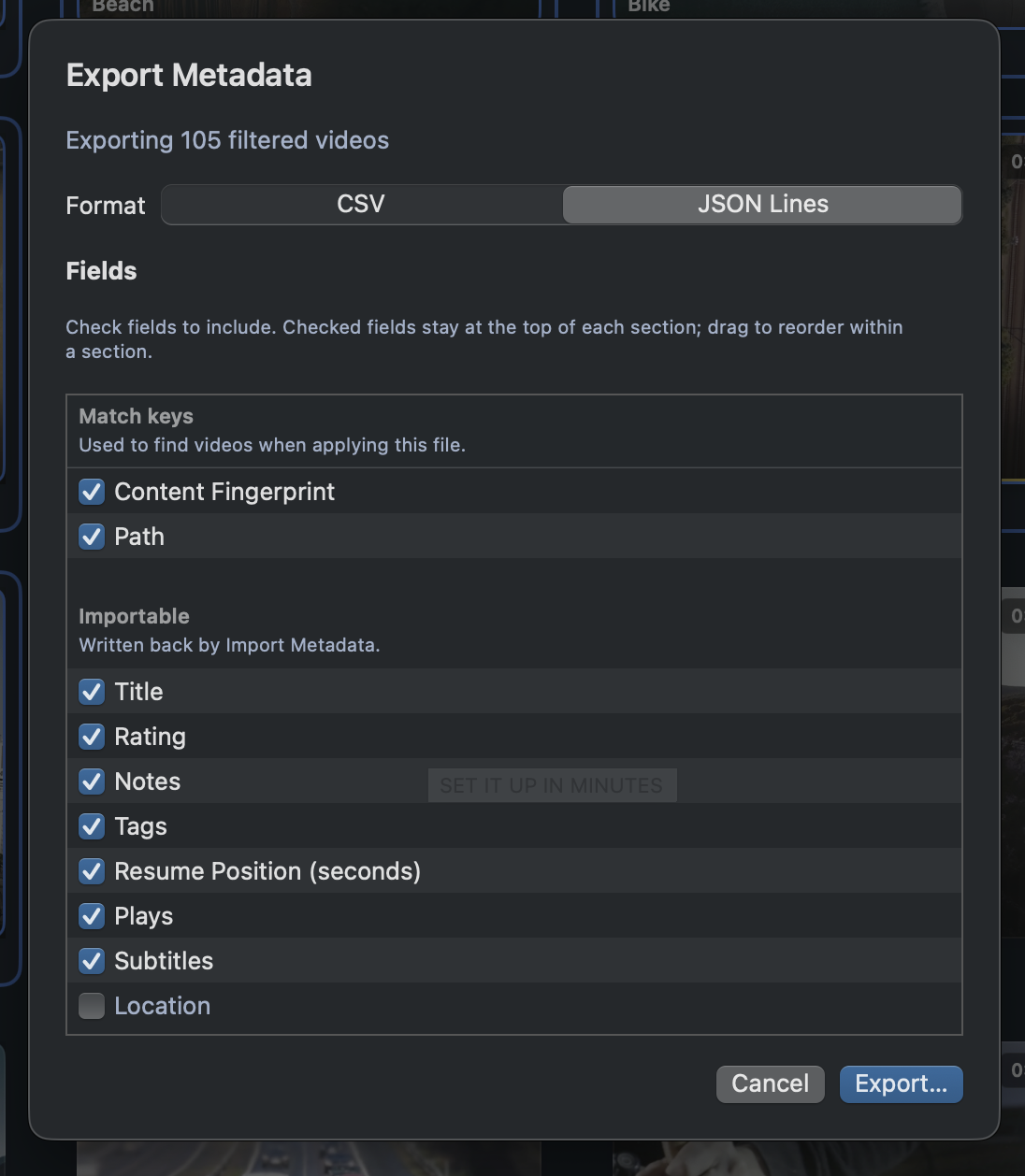
Export Metadata… (⌥⌘E)
- File → Export Metadata… exports every video currently shown — filters and search included. Right-click → Export Metadata… exports just the selection.
- Pick CSV (for spreadsheets) or JSON Lines (for scripts and tools).
- Fields are grouped: Match keys (to find videos on import), Importable (written back), and Export only (read-only facts).
- Check the fields you want and drag to reorder within a section.
- Your format and field choices are remembered for next time.
Import Metadata… (⌥⌘I)
- File → Import Metadata… opens a CSV or JSON Lines export — the format is detected automatically.
- Rows match by Path, then Content Fingerprint, so a file that moved can still be found.
- Importable values update when they differ; tags are merged in, never removed.
- Unknown columns can be skipped or imported as new custom fields. A summary shows Matched / Updated / Unmatched.
- Touched videos appear in Last Metadata Import.
Save Copy… — back up the catalog
- File → Save Copy… writes a timestamped duplicate of the library file.
- The current library stays open. Save Copy keeps the original cache pointer — it does not create a second cache.
- Open a copy anytime with File → Open Library….
When to use which
- Save Copy… — a full snapshot before a big reorganization.
- Export + Import — move ratings and tags between libraries or Macs, or bulk-edit metadata in a spreadsheet and bring it back.
- Export alone — feed your library data to any external tool.