
Free · Mac & Windows
15CE Flasher
Flash HP 15c CE firmware on Mac or Windows.
Guided app for the HP 15c Collector's Edition over the official pogo cable. Choose your platform below — the app walks you through every step.
Install help & troubleshooting →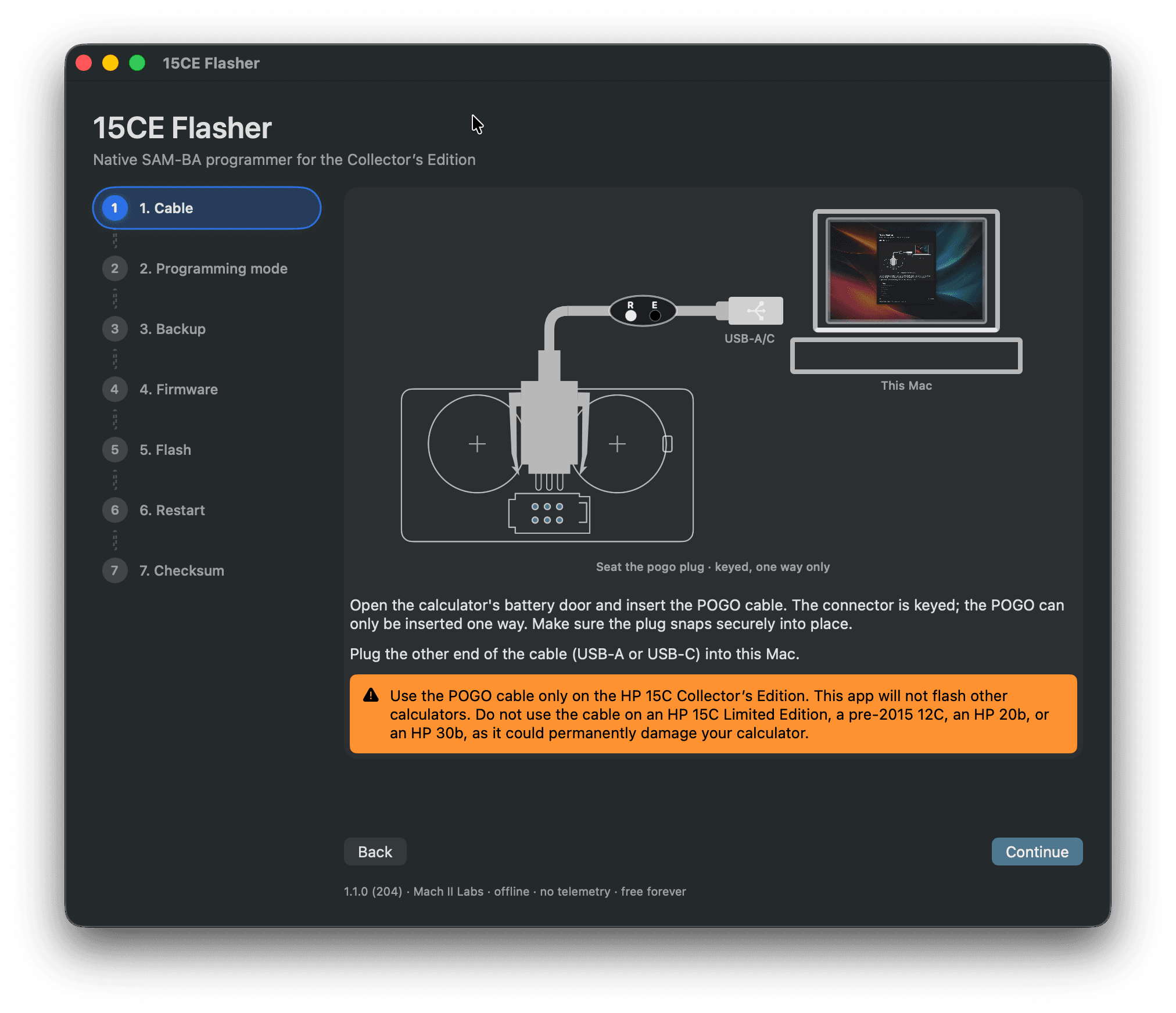
macOS 13+
Mac
Download freev1.3.0 (217)Notarized DMG
Verify download (SHA-256)
- Filename: 15CEFlasher-1.3.0-217.dmg
- In Terminal:
shasum -a 256 /path/to/15CEFlasher-1.3.0-217.dmg - Expected: 16b92b28b137fa773cd1b9f31e28e677dc99b982b835d78bf952aa90ffa39c30
Windows 10/11 · 64-bit
Windows
Download freev1.1.0 (110)Self-contained app · unsigned (see SmartScreen note below)
Verify download (SHA-256)
- Filename: 15CEFlasher-Win-1.1.0-110.exe
- In PowerShell:
Get-FileHash -Algorithm SHA256 "$env:USERPROFILE\Downloads\15CEFlasher-Win-1.1.0-110.exe" - Expected: 66108db0837e31e67b2a08d2eb3fd4fe235cc933730279d56fe312a2ec973dda
Modes
DEMO walks through the wizard with a simulated calculator — no hardware required. FLASH is the full seven-step wizard for one CE. BATCH flashes many calculators in sequence with the same firmware. Connection Probe lets you confirm the cable and SAM-BA detection on real hardware before flashing firmware.
Step-by-step workflow
A seven-step wizard with diagrams and navigation. Status feedback when the cable and SAM-BA connect. No other software to install.
Safe flash layout
Writing starts at address 0x04000. The SAM-BA bootloader below that is left intact. Optional backup before you flash; verify after write; checksum check on the calculator when you're done.
What you need
- A Mac (macOS 13+) or a PC (Windows 10/11, 64-bit)
- HP 15c Collector's Edition (primary).
Field reports suggest that the HP 16c CE and post-2015 HP 12c also work with this software — they have the same ATSAM4LC2C chip; use at your own risk and confirm the firmware matches your calculator.
- Official USB-C (or USB-A) pogo programming cable. You can get it at The Calculator Store or hpcalc.org.
- A 114,688-byte (112 KB) firmware
.binfrom HP — not included with this download (see the install help)
Windows SmartScreen
The Windows build is unsigned. If SmartScreen blocks the app, choose More info → Run anyway.
Privacy
Offline. No telemetry, no network, no automatic diagnostics.
Mach II Labs is not affiliated with HP, Atmel, or Microchip. The download does not include HP firmware. Flash helper applet from Atmel SAM-BA 2.16 redistributed under the SAM Software Package License.